
What to do in the weeks before the vendor arrives
You’ve chosen your ERP product. You’ve chosen your implementation partner. The contracts are signed and the vendor’s team will turn up in about two months.
So what do you do in the meantime?
For many organisations the honest answer is “not much”. The selection was hard work, everyone’s tired, and the vendor will tell us what to do when they arrive. That’s the mindset we tackled in our Lunch & Learn “Get ERP-Ready: What to Do Before the Vendor Arrives”. Here’s what we covered, along with some excellent points from the discussion.
You own the house
Imagine you’re building a house. You’ve chosen a builder and your first meeting is in three weeks. You can do nothing for those three weeks, or you can do your homework: look at floor plans, think about what your family needs, and start on colour schemes and fittings.
If you do the homework, you walk into that meeting ready to make good choices. If you don’t, you end up making random decisions on the spot, and you live with the results.
Either way, it’s your house. The builder builds it based on the choices you make. You own the budget, and you own the outcome.
Before we meet the vendor, we get our things in order. We own the implementation and stay in control.
An ERP project works the same way. The vendor’s role is to build and configure the product to meet your requirements. The accountability sits with you, the client. That’s the mental shift: before you meet the vendor, put your house in order, because you own the implementation and you need to stay in control.
What exactly do we own?
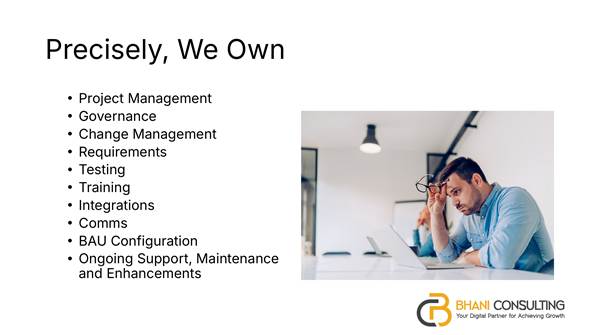
What the client owns in an ERP implementation.
It’s easy to agree that we own the project in principle. It’s more useful to be precise. On the client side, you own:
- Project management, through a client project manager who is accountable for your side of the project.
- Governance, with a steering committee that sits mainly on the client side, alongside a senior supplier from the vendor.
- Change management, which is primarily the customer’s responsibility.
- Requirements and testing, making sure the product actually suits your needs before you sign it off.
- Training, so your end users are ready before go-live.
- Integrations and internal communications.
- Business-as-usual configuration, plus ongoing support, maintenance and enhancements after go-live.
That’s a long list, and every item on it is yours.
Start with the end
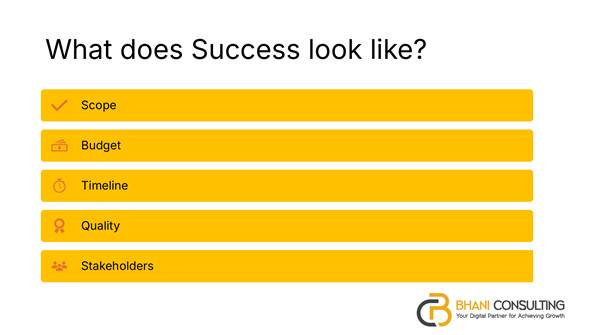
Define success first: scope, budget, timeline, quality and stakeholders.
So where do you start? At the end. Put a big-picture lens on the project and sketch out what success looks like for the first phase:
- Scope: for a council, phase one might be finance and procurement.
- Budget: for example, no more than a million dollars.
- Timeline: perhaps within 12 months.
- Quality: the product is fully tested before go-live.
- Stakeholders: who needs to be involved.
It’s a draft. It will change once you hear from the vendor and work through it together. But you’ll arrive with a starting point instead of a blank page.
Find your star performers
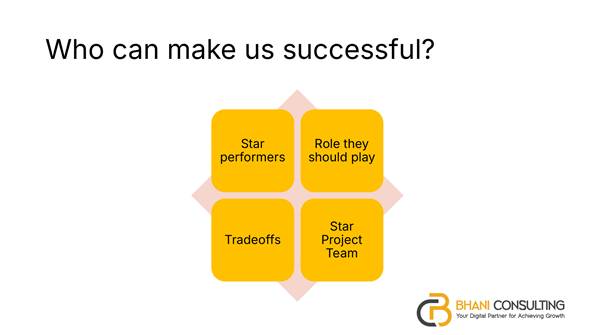
Who can make us successful? Star performers, the roles they should play, the trade-offs, and a star project team.
Next, ask who can make that success happen. Every organisation has star performers, the people you trust to make a difference. Work out who they are, what role each should play, and what the trade-offs are. If they’re on the project, who backfills their day job?
But how do you know who you need? I find two viewpoints useful.
Viewpoint 1: the building blocks of ERP
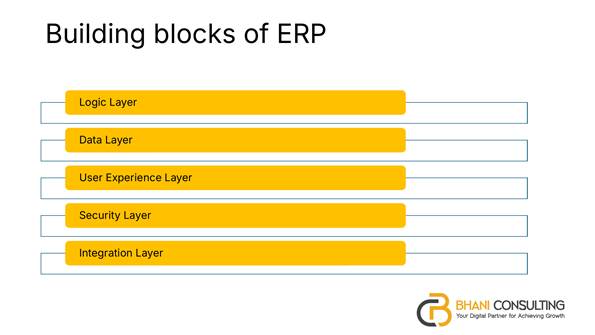
The five layers of an ERP: logic, data, user experience, security and integration.
Look at the product as five layers, and match people to each one:
- Logic layer: business rules, workflows and how information moves from one role to another.
- Data layer: what needs to be migrated from your existing systems, and how it’s cleansed.
- User experience layer: how different groups will use the system. Some work on mobiles, some on rugged tablets in the field, others at a desk.
- Security layer: keeping information secure, private and intact.
- Integration layer: how the ERP connects with your other systems.
Some of these layers need business people and some need technical people. The goal is to put the right people in the right layers.
Viewpoint 2: the work streams of the project
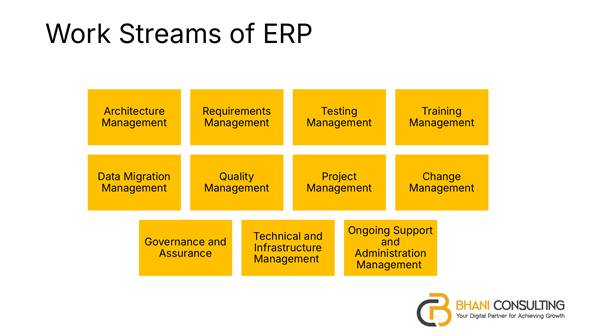
The work streams of an ERP project, each of which needs an owner on the client side.
The second viewpoint is the project itself. There are work streams for architecture, requirements, testing, training, data migration, quality, project management, change management, governance, technical infrastructure, and ongoing support.
Each box needs someone on your side who takes ownership. Architecture, for example, covers how the ERP will work alongside other products, how you’ll move from the old system to the new one, and whether any business restructuring is needed. Someone has to be accountable for that, and it isn’t the vendor.
What to have ready before the first meeting
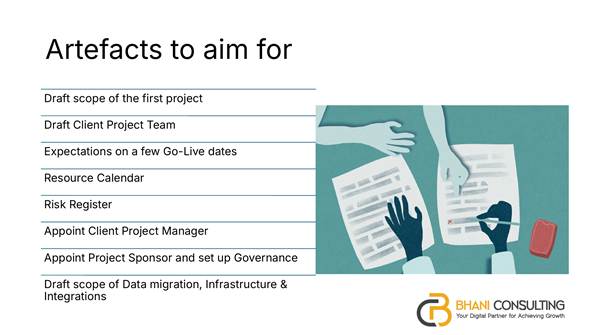
Artefacts to aim for before the vendor arrives.
By the time the vendor walks in, aim to have:
- A draft scope for the first project, including what’s in and what’s out.
- A draft client project team, even if some roles aren’t filled yet.
- Expectations on a few go-live dates, based on things like your AGM and audit calendar.
- A resource calendar showing long service leave, extended leave, Christmas shutdowns and other busy or disruptive periods.
- A starting risk register.
- An appointed client project manager.
- An appointed project sponsor, with governance and a steering committee already in place.
- A draft scope for data migration, infrastructure and integrations.
It isn’t an exhaustive list, but with these in place you’ll move much faster once the vendor arrives.
From the discussion
This session had a strong mix of people around the table, including experienced client-side project leads and people who’ve spent years on the vendor side. Their insights were some of the best we’ve had.
Backfill is hard. One attendee with more than 20 years implementing ERPs from the vendor side said finding backfill is a real challenge in the current labour market, especially for finance teams, who are flat out for most of the year. A one-year project can be endured. On a two- or three-year project, backfill becomes essential because fatigue sets in.
Availability, then money. When I asked whether the main problem was budget, resource availability or knowledge, another attendee with a long background in local government ICT strategy put availability first, with money a close second. The skills often aren’t available in rural and regional areas, and staff turnover in remote locations can mean a new finance manager every couple of years.
Have a plan A, B and C for people. An experienced client-side project manager pointed to around 25% staff churn in local government over recent years. On a project team of 12, that could mean losing three critical people. Their advice was to appoint the project manager early, use a structured project method, break down roles and accountabilities, and have backup plans for every key person.
There are ways to stretch tight resources. The same attendee shared some practical options: bringing in expert help two days a week, paired with an internal person, instead of a full-time contractor; pre-negotiating short-term cover for when a key person is unexpectedly unavailable; and outsourcing pieces of work the team knew it couldn’t do well, such as business process mapping, at a fixed price with a clear endpoint.
Manage expectations over a long gap. In government, it can be two or three years between seeing a product demonstrated and implementing it. The product changes in that time, and so do the people. With high turnover, half the organisation may not have seen the original demo. That’s why it’s worth regularly going back to the business case and checking that new executives share the same view of success.
Start data cleansing now. One attendee suggested adding data cleansing to the list from day one. It doesn’t depend on the vendor, so you can start straight away. Decide who owns each set of data, such as finance, rates and assets. Decide how much history to migrate, what to bring across as summary data, what to archive and what to delete, keeping deletions records-compliant.
A rough rule for internal costs. One vendor-side attendee offered a simple yardstick: whatever the vendor quotes for implementation, expect to budget a similar amount for your own people to deliver the project. In smaller organisations, the project manager will often wear several hats, covering change management and business analysis as well.
Be honest about the real cost. Another attendee, who sits on the board of an organisation going through an ERP project, described seeing projects presented as quicker and cheaper than they could ever be, with no allowance for the internal resources needed. Their advice was to sit down up front, look honestly at the business case and the commitment involved, and involve the staff who actually do the work, not just the people directing it. If you’re not prepared to commit, don’t proceed.
Is it a knowledge gap?
My own view is that much of this comes down to knowledge and leadership. Budget and availability are real constraints, but there are ways around them. Starting a million-dollar project with half the money in your pocket, though, sets you up for a half-finished product.
As one attendee put it, these systems are replaced every 10 to 15 years or more. A director of corporate services may see one ERP implementation in their whole career, or none. Another suggested that a short education session for executives and steering committee members, before the project starts, could help everyone get on the same page. That’s a big part of why we run these Lunch & Learns.
Closing thoughts
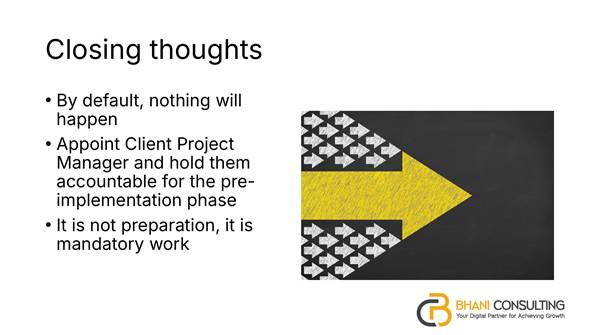
Closing thoughts: by default nothing will happen, appoint a client project manager, and treat this as mandatory work.
- By default, nothing will happen. If you treat the gap before the vendor arrives as dead time, you’ll spend the start of the project making random choices and spinning your wheels.
- Appoint a client project manager and hold them accountable for the pre-implementation phase. There’s a lot of work to do, and someone has to make sure it gets done.
- It’s not preparation, it’s mandatory work. You’re accountable for the outcome, so this work isn’t optional.